TTS Explained: How Text to Speech Online Turns Plain Words Into Natural Voices
TTS has grown from a robotic novelty into an everyday tool for creators, teachers, and busy professionals. This guide shows how text to speech AI works, how ttsmaker and Natural Reader compare, and when a full AI voice generator makes more sense.
Text to speech online · Mac & PC · 30-day money-back guarantee
TTS at a Glance: Quick Answers Before You Read On
- TTS stands for text to speech, software that can read aloud any script you give it.
- A text to voice engine can live in your browser, so text to speech online needs no installation.
- Free converters like ttsmaker suit short clips, while a complete AI voice generator adds writing tools and licensing.
- A reader-style text reader such as Natural Reader is ideal when you want to read aloud PDFs, articles, and e-books.
- Check limits and commercial rights before you publish any text to audio file.
What Does TTS Mean, and Why Does It Matter Today?
TTS is short for text to speech. A TTS system takes written words, analyses them, and speaks them in a synthetic voice. You paste a script, choose a voice, and the software returns an audio file that you can play, edit, or publish anywhere.
Not long ago, most people only met TTS through clunky navigation prompts and basic screen readers. Today, text to speech AI delivers believable rhythm, breath, and emphasis. That leap is why creators, teachers, and marketers now rely on text to voice software every single week.
A Simple Definition for Beginners
Think of TTS as a translator between two formats. The input is written language and the output is spoken language. Everything in between, such as reading punctuation or deciding how long a pause should last, is handled by the engine. A good text to speech online tool hides all of that behind a text box and a single Generate button.
How the Technology Works Behind the Scenes
Modern ai text to speech engines usually follow three stages. Knowing them helps you write better scripts and fix odd pronunciations quickly.
Stage One: Text Analysis
The engine cleans your script, expands abbreviations, reads numbers, and decides how each word should sound. That is why Dr. becomes Doctor in most TTS voices.
Stage Two: Acoustic Modelling
A neural network predicts melody, timing, and stress for every sentence. This step gives an AI voice generator its human feel, because the model learned from thousands of hours of real speech.
Stage Three: Waveform Output
A vocoder converts those predictions into real sound. The result is a clean file that drops straight into your editor, which is the final goal of any text to audio workflow.
From Robotic Voices to Neural TTS: A Short History
Early speech synthesis stitched together tiny recordings of syllables. The output was understandable but stiff, and nobody mistook it for a real person. Later systems used statistical models that sounded smoother, yet still flat and mechanical.
The Neural Leap
Neural networks changed the game. Instead of gluing sounds together, a neural text to speech AI model generates a whole sentence at once, including intonation. A modern AI voice generator can sound cheerful, calm, or serious, and the gap between machine and human narration keeps shrinking for every TTS user.
Why This Matters for Everyday Users
You no longer need a studio, a microphone, or a hired voice actor to produce clear narration. A browser tab and a decent script are enough to create a polished text to audio file. That explains why searches for text to speech online, text to voice, and ai text to speech keep climbing among students, small businesses, and solo creators.
Turn your next script into polished audio with 150 natural voices in 50+ languages.
Three Types of TTS Tools You Will Meet Online
Step into the TTS market and you will notice three broad groups. Each solves a different problem, so the best choice depends on what you create and how often you create it. A quick TTS test with your own script usually settles the question.
Free Browser Converters
Web tools such as ttsmaker let you paste text, pick a voice, and download audio within seconds. They are perfect for quick drafts, class projects, and placeholder narration. The trade-off is usually weekly quotas and limited writing help.
Reader-Style Apps
Apps like Natural Reader work as a text reader for documents, web pages, and e-books. Their strength is turning a long reading list into listening time, so you can read aloud an article while you commute.
Full AI Voice Generator Suites
A complete AI voice generator bundles voices, a script writer, templates, and licensing in one workspace. It suits freelancers, agencies, and brands that publish audio regularly and want consistent ai text to speech output.
No group is automatically better. A student who needs a quick read aloud file has different priorities than an agency delivering voiceovers every week.
TTSMaker vs Natural Reader vs GPTVoicer: A Fair Comparison
The snapshot below relies on publicly described features and general plan structures. Prices, quotas, and voice counts change often, so confirm the latest details on each official website before committing to a project.
TTSMaker
- Runs in the browser with no installation
- Large catalogue of voices and languages
- Free weekly character allowance, with paid tiers for more
- Quick audio downloads for short projects
- Best for fast, occasional clips
Natural Reader
- A handy text reader for documents, web pages, and e-books
- Free voices available, with premium voices time-capped on the free plan
- Browser extension and mobile apps
- OCR on paid plans for scanned pages
- Best for students, researchers, and daily listeners
GPTVoicer
- 150 natural voices in 50+ languages
- Built-in AI script writer and ready templates
- Personal and Commercial licences
- Cloud workspace for Mac and PC
- Best for creators and freelancers who write and narrate
How to Read This Comparison
Notice that every option wins somewhere. TTSMaker wins on price for light use. Natural Reader wins on document listening. A full AI voice generator wins when you also need scripts, templates, and commercial rights. The right pick is the one that removes the most friction from your own TTS workflow.
Free vs Paid TTS: What Actually Changes?
Free plans are wonderful for learning. They let you test ai text to speech without risk, compare a few voices, and finish small jobs. Paid plans matter when limits begin to interrupt your work.
What Free Plans Usually Include
- Basic voices or a limited free set
- Weekly or daily character caps
- Captchas, ads, or short queues
- Commercial restrictions on some tools
What Paid Plans Usually Add
- Premium neural voices for natural text to speech AI
- Higher limits per conversion
- Commercial licences for client work
- More file formats and faster rendering
- Extras such as OCR, templates, or an AI writer
If you create audio weekly, even a modest upgrade pays for itself in saved time. In most TTS projects, a text to audio file that sounds polished on the first try is worth more than a free file that needs three attempts.
How to Choose the Right TTS Tool: A Practical Checklist
Before you sign up for anything, run your shortlist through six questions. They take five minutes and prevent expensive regrets.
Voice Naturalness
Play the same paragraph in every tool. A good text to voice engine uses natural pacing, soft pauses, and clean endings, which matter more than a long voice list.
Language and Accent Range
Global audiences need more than English. Check whether your target languages are available inside one text to speech online workspace, and whether the best text to speech AI voices cover them.
Limits and Quotas
Look for weekly caps, per-run character limits, and storage allowances. Long scripts reveal limits fast, so test with a real project instead of a sample sentence.
Licensing and Commercial Rights
If you plan to sell or monetise audio, read the licence first. Rules for TTS output differ widely between plans, and a free tier does not always cover paid work.
Writing and Editing Tools
Some products stop at the voice. Others add a script writer, templates, and quick text to audio re-generation, which saves hours on every project.
Cost Over Time
A cheap monthly plan can cost more than a one-time payment after a year. Compare the total cost of any ai text to speech plan, not just the first bill.
A Ten-Minute Test You Can Run Today
Pick one paragraph from your real project and try it in two or three tools. Listen with headphones, note mispronunciations, and check how easy they are to fix. This simple trial teaches you more than any feature list ever will.
Pro Tip
Include a name, a number, and a technical term in your test paragraph. Weak TTS engines stumble on all three.
How to Convert Text to Voice in Three Simple Steps
The workflow is nearly identical across tools, so the skills you learn here transfer anywhere. Follow this routine whether you use a free converter or a complete AI voice generator.
Step 1: Write or Paste Your Script
Start with short sentences and clear punctuation. If you need ideas, a built-in AI writer can draft a first version that you then edit by hand. Always read aloud your draft once, because awkward lines are easy to hear and hard to see.
Step 2: Choose a Voice and Generate
Pick a language, an accent, and a tone that suits your audience. Preview two or three voices with the same paragraph, then adjust speed, pitch, and volume and let the text to voice engine render the file. Slow narration fits tutorials, while brisk delivery works well for ads.
Step 3: Download and Use Your Audio
Export the file and drop it into your video editor, podcast host, or learning platform. A standard text to audio file works everywhere, and you can regenerate a single line in seconds if the script changes.
Why This Routine Works
Each step has one job: prepare, perform, publish. Keeping them separate prevents the most common TTS mistake, which is running ai text to speech before the script is ready.
Write it, voice it, download it. No studio, no retakes, and no monthly fees.
Inside a Modern AI Voice Generator Workspace
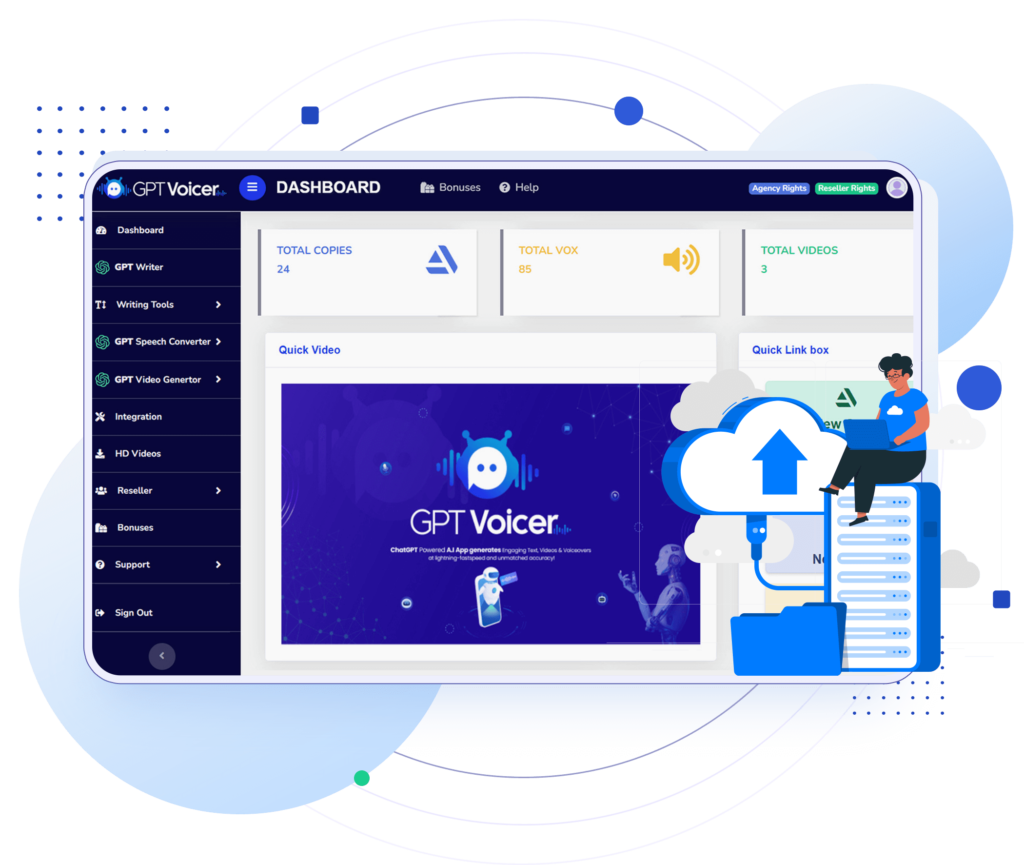
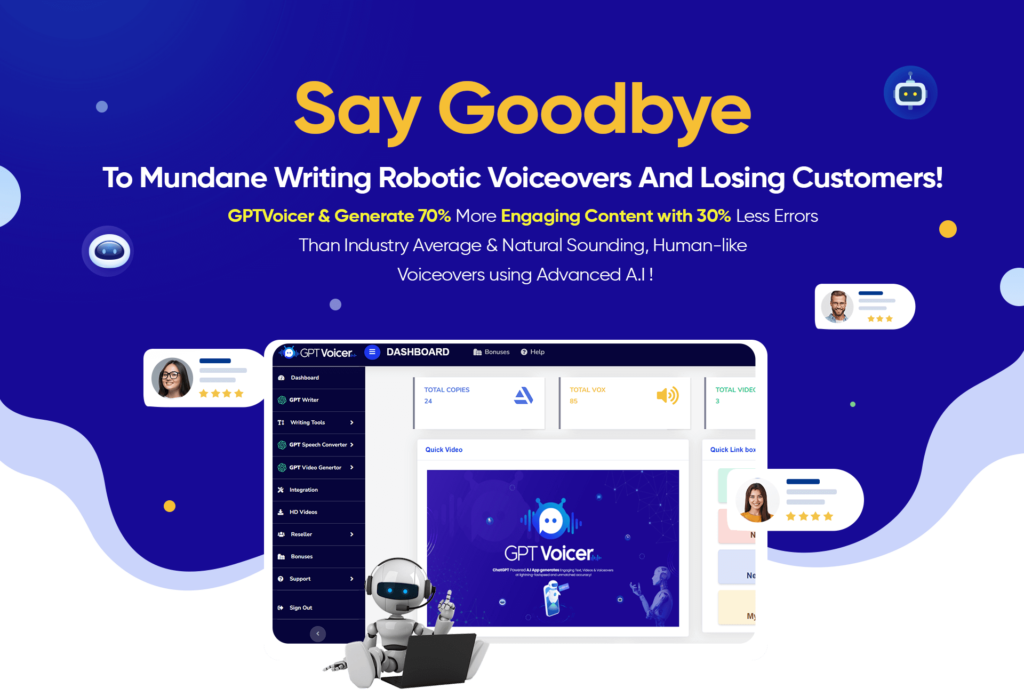
Seeing the interface helps you judge whether a tool feels friendly or fiddly. These screenshots come from GPTVoicer, a cloud-based workspace that runs on Mac and PC. Notice how the script area, voice controls, and export options sit close together, so you never hunt through menus.
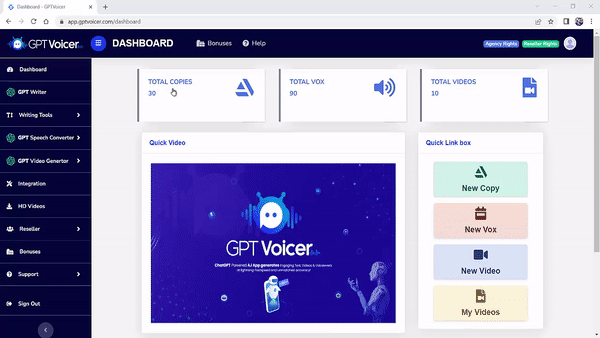
Workspace overview
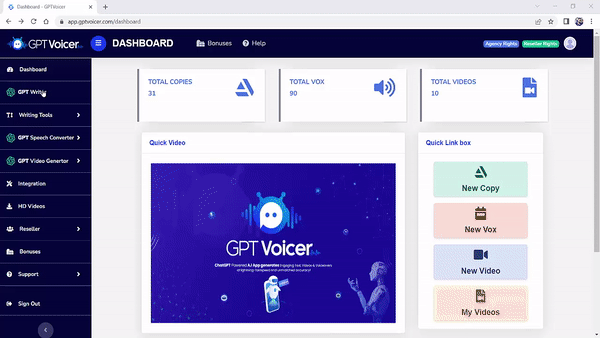
Speech controls for pitch, tone, and speed
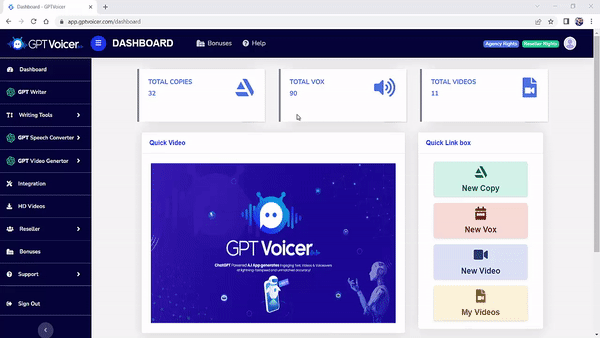
Text to audio conversion screen
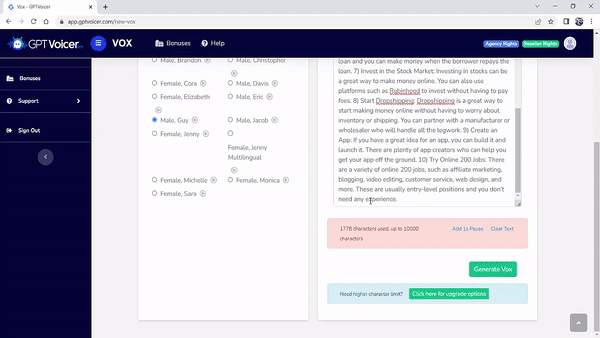
Download and export view
A clean layout matters more than it seems. When a TTS tool keeps writing, voice selection, and exporting in one place, you finish projects faster and make fewer mistakes. A tidy text to voice dashboard also shortens the learning curve for beginners.

Where TTS Delivers the Biggest Wins
TTS is no longer a niche accessibility feature. It now powers channels, classrooms, and companies of every size. These are the places where it saves the most time and money.
YouTube and Social Video
Narrate explainers, shorts, and product demos without recording a single take. Turn scripts into text to audio narration, change a line, and keep your edit moving.
Online Courses and Training
Build lessons in several languages from one script. Consistent voices make long courses easier to follow, and text to speech online workspaces make updates painless.
Podcasts and Audiobooks
Turn written chapters into listening episodes. A flexible ai text to speech workflow lets independent authors test an audiobook before hiring a narrator.
Ads and Sales Videos
Confident narration lifts promos. With a library of voices you can test tone, pace, and accent before launching a campaign.
Accessibility and Study Support
A dependable text reader helps people with dyslexia, low vision, or screen fatigue. Learners can also read aloud lecture notes and replay them on the go.
Apps, Games, and Prototypes
Developers drop synthetic voices into demos long before hiring actors. A reliable text to voice engine keeps every prototype believable.
Read Aloud and Text Reader Features That Improve Learning
Listening and reading use different mental pathways. Many people retain more when they hear information while following the words on screen. That idea sits behind every read aloud tool, and it is one of the most underrated uses of TTS.
Accessibility Benefits
For readers with dyslexia, low vision, or attention challenges, a dependable text reader turns dense pages into manageable audio. It also gives tired eyes a break during long study sessions or busy workdays.
Everyday Ways to Use Read Aloud
- Read aloud your emails and scripts to catch clumsy phrases
- Listen to articles during commutes or workouts
- Replay study notes until they stick
- Check pronunciation while learning a new language
- Install a free text reader extension for long web pages
Tip for Better Listening
Lower the speed slightly for dense material, then raise it once the topic feels familiar. Most text reader apps and text to speech AI platforms let you adjust playback speed without changing pitch, and a good AI voice generator keeps the voice clear at every setting.
Writing for the Ear: Make Any TTS Voice Sound More Natural
Even the best text to speech AI cannot rescue a script written only for the eye. Spoken language is shorter, warmer, and more rhythmic than written language. These habits help every text to voice file sound better.
Keep Sentences Short
Aim for one idea per sentence. Short lines give the voice room to breathe and make pacing easier to control.
Use Punctuation as Direction
Commas create small pauses, full stops create longer ones, and question marks lift the tone. Treat punctuation as stage directions.
Spell Out Tricky Terms
Write numbers, acronyms, and unusual names the way you want them spoken. A phonetic spelling beats a mispronounced brand name.
Match Voice to Mood
A calm voice suits lessons, while an upbeat voice fits promos. Test several voices before choosing one for a whole series.
Adjust Speed and Pitch
Small tweaks make a big difference. Slow the pace for technical points and raise the energy slightly for calls to action.
Listen Before You Export
Preview the clip, then read aloud your script once more to compare. If something sounds off, fix the text, not the voice.
Good TTS output is a partnership. The engine supplies the voice, and your script supplies the performance.
Licensing, Ethics, and Privacy in TTS
Responsible use builds trust with your audience and protects you legally. Four areas deserve attention before you publish.
Check Commercial Rights
Free and personal plans do not always allow paid work. Both ttsmaker and Natural Reader publish their own terms, and those differ by plan, so read them before you sell or monetise any text to audio recording.
Be Open About Synthetic Voices
Viewers increasingly expect disclosure when narration is AI generated. A short note in your description builds credibility.
Respect Consent With Voice Cloning
Never clone or imitate a real person's voice without clear permission. Stick to stock voices unless you hold written consent.
Protect Sensitive Scripts
Avoid pasting confidential contracts, medical data, or private customer details into any text to speech online service unless its privacy terms clearly cover your needs.
Pay once, skip the monthly fees, and get a 30-day money-back guarantee.
Where GPTVoicer Fits in the TTS Landscape
GPTVoicer is the product featured across this site. It combines a cloud-based AI voice generator with a built-in script writer, so you can draft, voice, and export in one place. Read the full breakdown in our GPTVoicer review, or visit the text to speech homepage for a quick overview.
What You Get
- 150 natural voices in 50+ languages
- An AI script writer that connects to ChatGPT through your own API key
- Ready templates for scripts, ads, and emails
- Controls for speed, pitch, tone, and volume
- Cloud workspace for Mac and PC with 1 GB monthly storage
- Personal and Commercial licences, plus a 30-day money-back guarantee
Things to Keep in Mind
The AI writer uses your own API key, so the provider may charge separate usage fees. Personal voiceovers are limited to 1,000 characters and Commercial voiceovers to 3,000. Check the checkout page for today’s price, and remember that results depend on your own effort.
Who Benefits Most
Creators who write and narrate their own content, freelancers who sell voiceovers, and educators who build multilingual lessons tend to benefit most from a bundled ai text to speech workflow. If you outgrow free TTS tools, this is a natural next step.

TTS FAQ: Your Questions Answered
What does TTS stand for?
TTS stands for text to speech. It is technology that converts written words into spoken audio using a synthetic voice, so any script can become narration within minutes.
Is TTSMaker free to use?
TTSMaker offers a free plan with a weekly character allowance, plus paid tiers for heavier use. Limits and features can change, so confirm current details on the official TTSMaker website before planning a big project.
How is Natural Reader different from an AI voice generator?
Natural Reader works mainly as a text reader for documents and web pages, while an AI voice generator focuses on producing narration with writing tools, templates, and licensing built in.
Can I use text to speech online without installing software?
Yes. Cloud-based text to speech online tools run in your browser on Mac and PC, so there is nothing heavy to install and your files stay available for download.
What is the difference between text to voice and text to audio?
In everyday use they mean the same thing: turning written words into spoken sound. People often say text to voice when they focus on the voice itself and text to audio when they focus on the exported file.
Does text to speech AI sound robotic?
Older systems did, but modern text to speech AI uses neural models that capture rhythm and emphasis. Short sentences and sensible punctuation make the result sound even more natural.
Can I read aloud PDFs and long articles?
Yes. A good text reader or TTS platform can read aloud pasted text or uploaded documents, although supported file types vary from tool to tool.
Is AI text to speech safe for commercial projects?
Yes, AI text to speech can be safe for commercial work as long as your plan includes commercial rights and you follow the platform’s terms. Keep a copy of the licence for client projects.
Which TTS tool is best for beginners?
Start with the simplest interface that lets you preview voices and adjust speed. A guided workspace with templates and training videos shortens the learning curve for any new TTS user.
Final Thoughts: Choose the TTS Workflow That Fits Your Goals
TTS has become one of the most practical creative tools available. Free converters like ttsmaker are excellent for quick experiments, a text reader like Natural Reader makes listening effortless, and a full AI voice generator rewards anyone who publishes audio on a schedule. Whichever route you choose, test with real scripts, protect your licence rights, and keep refining your writing for the ear.
If you want one workspace that writes, voices, and exports, explore GPTVoicer today. Go from text to voice in minutes, enjoy text to speech online on any device, and turn every script into polished text to audio for videos, courses, and podcasts. Your next TTS audio file is only a few clicks away.
Text to speech online · Mac & PC · 30-day money-back guarantee
Keep Exploring Text to Speech
TTSMaker Review
An honest look at features, free limits, pros, cons, and who should upgrade.
GPTVoicer Review
Voices, templates, licences, and limits explained before you decide.
Text to Speech Homepage
See the full overview, plans, and frequently asked questions in one place.
Affiliate Disclosure: A few links on this page are affiliate links. If you buy a product or service through them, we may receive a commission, and you pay nothing extra. We only feature products or services that we believe could be useful to our readers.
© Copyright 2026 Text to Speech™. All Rights Reserved.